
How to Download DASH Video With Audio
How to Download DASH Video With Audio
You download a DASH video, the picture is fine, the sound is gone — this is probably the most common way a DASH download goes wrong. The reason isn't complicated: DASH ships video and audio as two separate streams, and you only grabbed the video one. This article covers two things: reading an MPD to tell which track is picture and which is sound, and using FlowPick to merge them into a single MP4 with audio.
Why a DASH download can have no sound
MPEG-DASH splits video and audio into separate tracks so the player can switch quality independently. The player requests both streams at once and combines them during playback. So "downloading DASH" really means downloading two streams and merging them — grab only the video track and you get silence.
Open an MPD file and you'll see several AdaptationSet elements, each holding a set of Representation elements:
<AdaptationSet contentType="video">
  <Representation id="v1080" width="1920" height="1080">
    <SegmentTemplate initialization="video/init.mp4" media="video/$Number$.m4s" />
  </Representation>
  <Representation id="v720" width="1280" height="720">
    <SegmentTemplate initialization="video/720/init.mp4" media="video/720/$Number$.m4s" />
  </Representation>
</AdaptationSet>

<AdaptationSet contentType="audio">
  <Representation id="a128" bandwidth="128000">
    <SegmentTemplate initialization="audio/init.mp4" media="audio/$Number$.m4s" />
  </Representation>
</AdaptationSet>
contentType="video" is the picture, contentType="audio" is the sound. Platforms like Bilibili split the two very aggressively — How to Download Bilibili Videos walks through a real two-stream DASH setup.
If you've never worked with MPD files, start with What Is DASH Streaming? MPD File Explained — it breaks down the manifest structure clearly. For SegmentTemplate and ContentProtection details, dig into DASH Deep Dive: MPD Structure.
Download DASH with FlowPick
Step 1, open the video page and let it play for a few seconds so the DASH stream actually loads. Step 2, open the FlowPick extension and find the MPD/DASH entry in the resource list. Step 3, pick the video quality and make sure the audio track is selected (not a video-only entry). Step 4, hit download and wait for the segments to finish and merge into an MP4. Step 5, open the MP4 in a player like VLC and confirm both picture and sound are there.
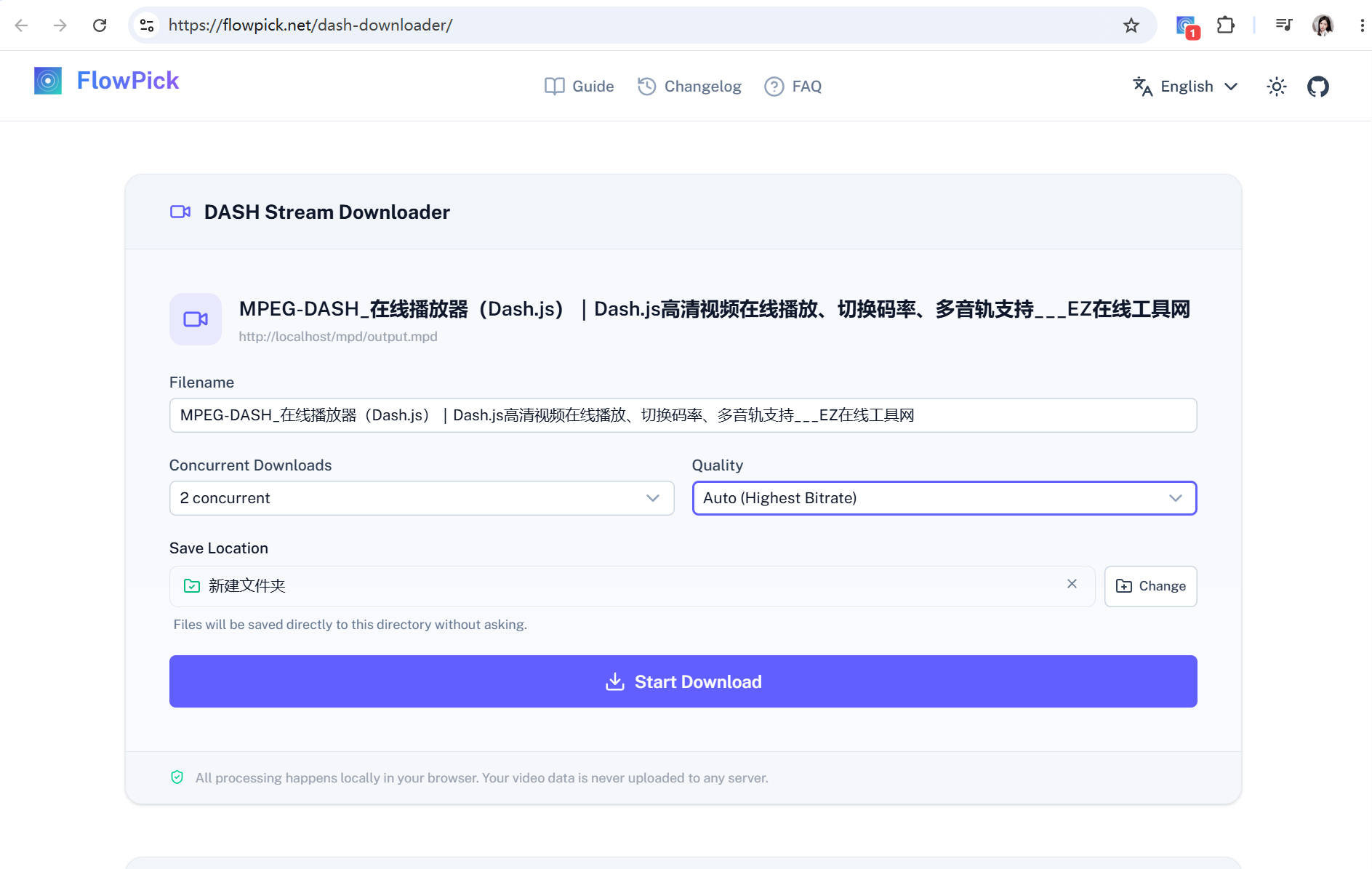
Picture is fine but there's no sound? Go back to step 3 — you almost certainly picked a video-only representation. Switch to the entry that includes an audio track and download again.
The merge happens in your browser using a WebAssembly build of FFmpeg — no server involved. The implementation behind it is covered in How FlowPick Merges Hundreds of Video Segments into MP4 in the Browser.
If you already have a public MPD URL, you can use the DASH downloader and just paste the address. When the stream needs page cookies, a login session, or Referer checks, the extension is the safer bet — it runs in the source page's context and sends those headers automatically.
Picking a language track
Some platforms ship multiple audio tracks (Mandarin, Cantonese, original language, and so on), each with its own Representation:
<AdaptationSet contentType="audio">
  <Representation id="a-zh" ...>...</Representation>
  <Representation id="a-en" ...>...</Representation>
</AdaptationSet>
Pick the language you want from FlowPick's audio track dropdown. The merged MP4 only contains the track you selected — it won't stuff every language in.
If the result still has no audio
Check these in order:
- Make sure you didn't pick a video-only track. Some MPDs keep audio in a separate
AdaptationSet; a working preview doesn't mean the merged file has sound. - Refresh the original page and detect again. MPD URLs often carry an expiry; once expired they return 404 or 403, so reopen the page for a fresh address.
- The request needs a session. A 403 on the manifest or segments usually means Referer or login-cookie checks — the extension runs inside the source page and usually passes these; an online tool can't.
- Confirm there's no DRM. Widevine, PlayReady, and FairPlay encrypted content isn't supported or cracked by FlowPick. For those, contact the content provider for authorization.
Beyond these four there are subtler cases — DASH Video Has No Audio: MPD Troubleshooting has the full checklist, match your symptom and go. And if it's not DASH but an M3U8 segmented stream, head to M3U8 Download Failed: HLS Troubleshooting.
Summary
A silent DASH download is nine times out of ten because you only fetched the video track. Two things to remember: in the MPD, contentType="audio" is the sound; when downloading, make sure the audio track is selected. The merging is on FlowPick — it all happens in your browser, no server involved.
Related Articles
- What Is DASH Streaming? MPD File Explained for Non-Developers —— Start from zero on MPD, you can't pick the right track if you can't read the manifest
- DASH Deep Dive: SegmentTemplate, ContentProtection, and Multi-View MPD Structure —— The advanced read if you want to know how segment URLs are generated
- How FlowPick Merges Hundreds of Video Segments into MP4 in the Browser —— The WebAssembly FFmpeg pipeline behind the merge
- How to Download Bilibili Videos to Your Computer —— Bilibili is a textbook DASH audio/video split
- DASH Video Has No Audio: MPD Troubleshooting —— The complete checklist for silent downloads
Recommended Reading
- How to Download M3U8/HLS Streams —— DASH's next-door neighbor, a different segmented-stream family
- FlowPick vs. yt-dlp —— A few clicks in the browser vs typing away in a terminal
- How to Batch Download Images from Any Website —— Not just video, images batch-capture in one go
- Is It Legal to Download Streaming Video? —— Read this line in the sand before you start