
DASH Video Has No Audio: MPD Troubleshooting
Your DASH download came out silent? Nine times out of ten it's the same trap: video and audio are two separate tracks, and you only dragged the video track home. This article walks through the actual MPD processing pipeline, so you can see exactly where the audio dropped and how to get it back.
First, understand why DASH loses the audio
An MPD is not "one URL, one file." It's an XML tree where AdaptationSet groups video, audio, and subtitles into separate buckets, and each bucket carries multiple Representations by bitrate/resolution. Just look at the structure:
MPD
├── AdaptationSet: Video
│   └── Representation 1080p
│       ├── init segment (fMP4 header, codec config)
│       ├── segment-001.m4s
│       ├── segment-002.m4s
│       └── ...
└── AdaptationSet: Audio
    └── Representation 128kbps
        ├── init segment
        ├── segment-001.m4s
        ├── segment-002.m4s
        └── ...
                    ↓
            FFmpeg WASM merge
                    ↓
              output.mp4
This is a completely different beast from HLS. HLS usually stuffs audio and video into the same TS segment, so pulling segments gets you a sounding file; DASH uses fMP4 and transmits audio and video separately, so you have to grab both tracks and merge them. If your tool only picks up the video track, what you get is a silent movie. For the difference between the two, see Video Sniffing — Supported Video Formats, and for the full breakdown of MPD's AdaptationSet, Representation, and SegmentTemplate, check out the DASH deep dive.
Quick fix
Run through this order first — it solves most cases:
- Open the original video page and let it play (many sites won't issue the MPD until it starts playing).
- Detect the MPD manifest with FlowPick.
- In the track list, check both the video track and the audio track.
- Pick an audio track that matches the video quality (language and bitrate line up).
- Wait for the merge to finish, then play it with sound.
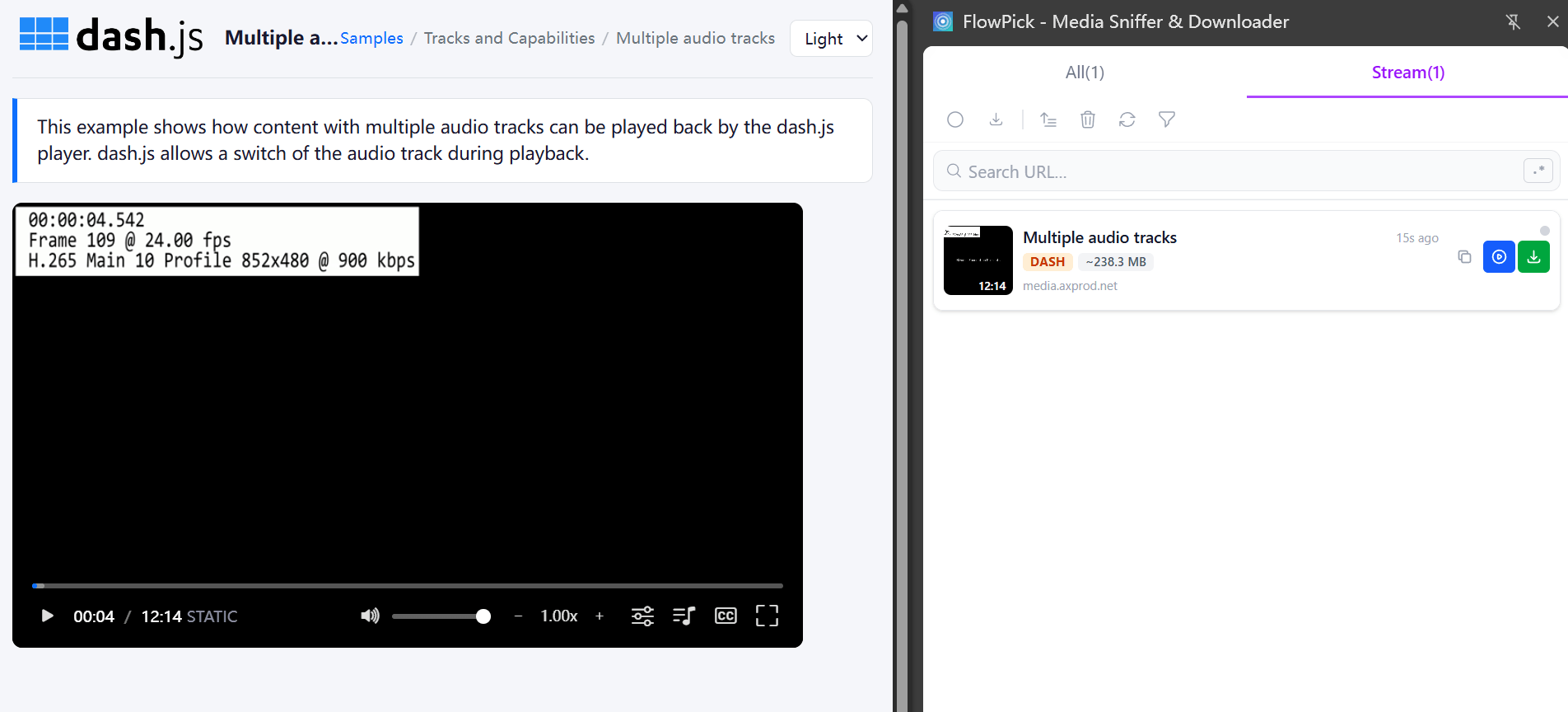
Still silent after this? Match your symptom below.
Symptom 1: You only selected the video track
What it looks like: downloads instantly, file is a few MB to tens of MB, and the player shows picture but no sound.
The most common one, by far. DASH downloaders list tracks in descending bitrate order by default, and a lot of people check the 1080p line at the top without noticing the "Audio" group further down. One ffprobe command confirms whether the file actually has an audio stream:
ffprobe -hide_banner output.mp4
If the output only shows Stream #0:0: Video and no Stream #0:1: Audio, that's your problem. Go back to the MPD, check the audio track too, and re-download. FlowPick auto-matches the same-language, highest-bitrate audio track, so you don't have to do the math.
Symptom 2: The MPD simply has no audio track
What it looks like: you dig through the whole track list and there's no audio, or there's only one "silent" video stream.
MPDs are generated dynamically, and the same video can return different manifests depending on region and login state. Three common causes:
- Region restrictions: some regions only get the video track, or only one specific language.
- Login state: logged out, the MPD has no audio
AdaptationSet; log in and it appears. - Request headers: some sites decide whether to hand you an audio track based on Referer/Cookie.
Grab the MPD URL and verify with curl (swap in your own URLs):
curl -sL -H "Referer: https://www.example.com/watch/123" \
     "https://cdn.example.com/master.mpd" > master.mpd

# See whether the manifest actually has an audio AdaptationSet
grep -c 'AdaptationSet.*type="audio"' master.mpd
# Output 0 = genuinely no audio track; >0 = it's there, you just didn't check it (back to Symptom 1)
If the output is 0, go back to the original video page, stay logged in, and re-detect with the extension. What the AdaptationSet, Representation, and SegmentTemplate nodes actually look like is explained better than any textbook in What Is DASH Streaming? MPD File Explained for Non-Developers.
Symptom 3: CORS / 403 / 404
What it looks like: the video track downloads fine, but audio segments return 403/404 the moment you pull them, or the online tool just reports CORS.
Online tools run on the flowpick.com domain, so they can't carry the target site's cookies or the original page's Referer — the origin server blocks them. That's anti-hotlinking, not a missing-audio problem in itself. What to do:
- On sites with anti-hotlinking, switch to the extension and operate from the original video page — Referer/Cookie are attached automatically.
- The v1.1.1+ extension ships a built-in anti-hotlink proxy: preview and download auto-fill Referer and Cookie, and it checks the response before saving so you don't store an HTML error page as media.
- Audio segment URLs with
?token=xxx&expires=yyyexpire in minutes — grab them while they're hot, don't wander off for lunch mid-download.
Symptom 4: Audio segments partially missing
What it looks like: both tracks are checked, but after the merge there's still no sound or it cuts out, and the console shows a few failed audio segment requests.
Audio and video download independently; video may finish completely while audio still has one or two segments missing, and the merge has to make do with a broken audio track. First confirm whether segments actually dropped:
# Probe the HTTP status of each audio segment (swap in your URLs)
for i in $(seq 1 200); do
  url="https://cdn.example.com/audio/seg-$i.m4s"
  status=$(curl -s -o /dev/null -w "%{http_code}" "$url")
  echo "seg-$i.m4s -> $status"
done
If you see 403/404/5xx, some segments just can't be pulled. Countermeasures:
- If the network is flaky, lower the concurrency to 2-3 to cut down retry pressure. Audio tracks don't have many segments anyway, so slower is fine.
- For isolated 5xx segments, wait a bit and retry — the origin may be doing a CDN back-to-origin.
- If the same segment keeps failing, it's usually an expired temporary token — go back to the original page and re-detect to get a fresh MPD.
Concurrency vs performance: Download Engine Architecture — Relationship Between Concurrency and Performance. Retry and backoff logic: Download Engine Architecture — Retry Mechanism.
Symptom 5: File size is fine but no sound
What it looks like: the file isn't small, ffprobe shows an audio stream, but playback is silent or audio/video drift apart.
This is usually not a download problem — it's the merge or encoding step:
| Symptom | Cause | Fix |
|---|---|---|
| Audio stream present but silent | Muxer didn't pair the audio right (H.265 video + odd audio tags) | Switch output format, or remux again via ffmpeg CLI |
| Audio/video out of sync | SegmentTimeline timestamps are discontinuous | Re-encode with FFmpeg to fix |
| Plays in VLC but not the system player | Player lacks a decoder (VP9/AV1/Opus) | Switch to VLC / PotPlayer — the file is fine |
Extract the audio on its own with ffmpeg to verify it isn't the problem:
ffmpeg -i output.mp4 -map 0:a -c copy audio.m4a
# audio.m4a plays fine → audio is intact, the issue is in the merge step
Remuxing theory with FFmpeg WASM: Format Conversion — FFmpeg WASM Remuxing. Audio/video merge flow: Format Conversion — Audio-Video Separate Merge.
Symptom 6: DRM protection
What it looks like: the MPD has a <ContentProtection> element, or the player loads a Widevine/PlayReady CDM module before playback.
This one can't be downloaded, and FlowPick explicitly refuses it — that's a feature, not a bug. DRM is locked down with hardware-level encryption by the rights holders; any downloader that claims to crack DRM is either lying or breaking the law. Don't waste your time or disk space. The legal and technical bottom line: Is It Legal to Download Streaming Video.
Diagnostics cheat sheet
Hit F12 for DevTools, then check these:
| Check | Panel | How |
|---|---|---|
| Was the MPD even requested | Network | Type mpd in the filter box, refresh, play the video |
| Audio segment status codes | Network | Type .m4s in the filter box, look at Status and size |
| What headers the request carried | Network → request → Headers | Check whether Referer/Cookie are present in Request Headers |
| Merge errors | Console | Search for ffmpeg or wasm |
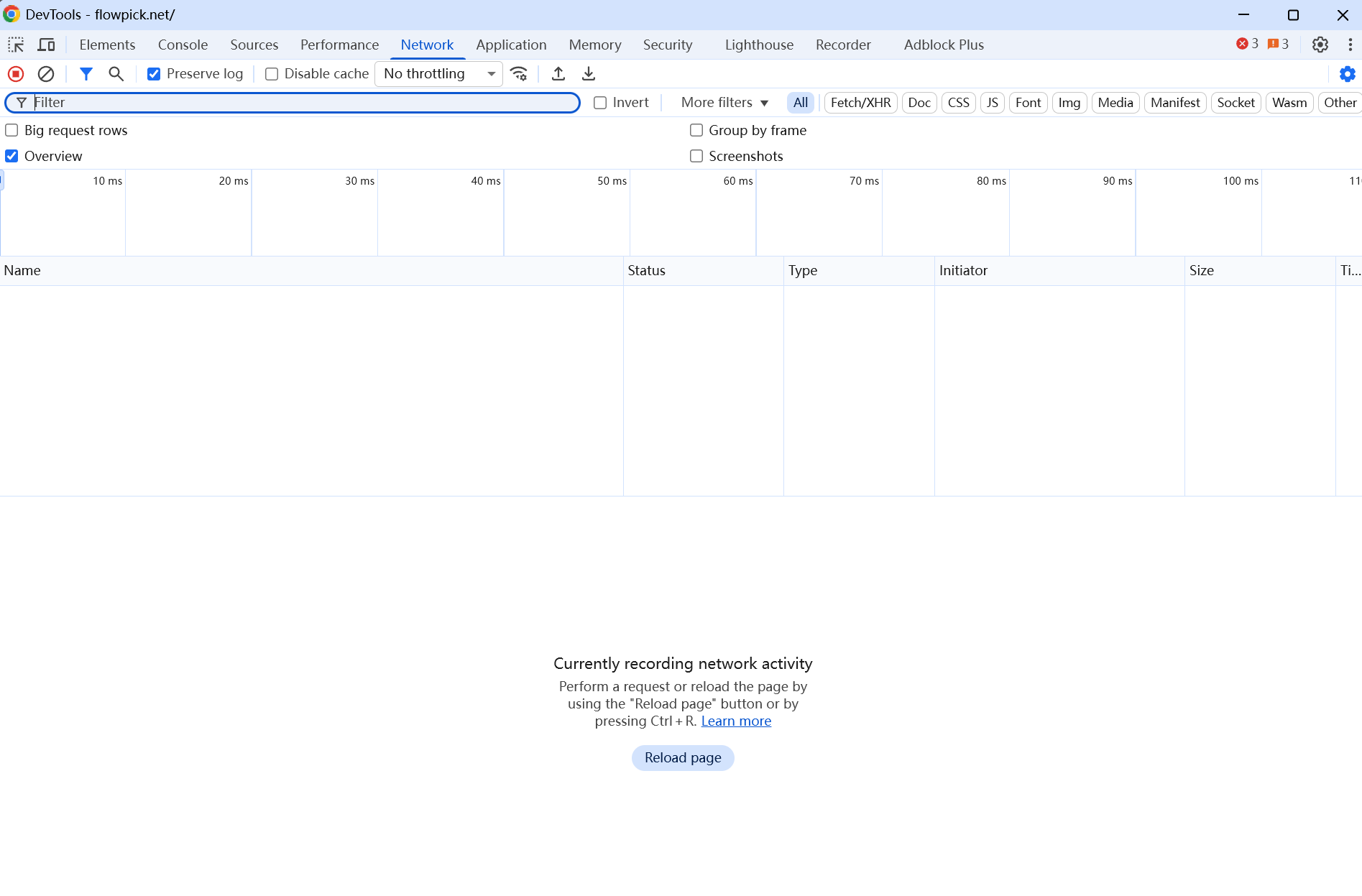
If you have questions about the environment, run this in the Console to generate an environment report for feedback:
const report = {
  ua: navigator.userAgent,
  fsa: 'showDirectoryPicker' in window,
  sab: typeof SharedArrayBuffer !== 'undefined',
  coi: self.crossOriginIsolated,
  storage: await navigator.storage?.estimate().catch(() => null),
  ts: new Date().toISOString(),
}
console.log(JSON.stringify(report, null, 2))
The report only contains browser environment info — no browsing history or personal data.
When it really can't be downloaded
- DRM-protected content (Widevine / PlayReady / FairPlay)
- Content that requires breaking a login or a paywall
- MSE sites with custom segments that don't emit a native MPD
- Private lossless or individually-encrypted multi-audio-track streams
These are unsupported by design, not bugs. When you hit them, the correct behavior is to error out rather than silently produce a broken file — that's FlowPick's stance. Legal and technical limits: Is It Legal to Download Streaming Video.
Related Documentation
- DASH Downloader — the online tool, for public DASH streams without anti-hotlinking
- M3U8 troubleshooting — full HLS troubleshooting; CORS/anti-hotlink methods carry over
- Video Sniffing — HLS/DASH detection and separate audio/video processing
- Download Engine Architecture — parallel DASH audio/video download, retry, and three-tier writing
- Format Conversion — fMP4 reassembly and separate audio/video merge
- Known Limitations — hard limits like DRM and separated audio/video streams
- What Is DASH Streaming? MPD File Explained for Non-Developers — what DASH is and how to read an MPD
- DASH deep dive — edge cases like SegmentTemplate and ContentProtection
M3U8 Download Failed: HLS Troubleshooting
Troubleshoot failed M3U8 and HLS downloads, including detection, CORS, expired URLs, Referer requirements, DRM, and broken segments.
Direct Video Download Failed: MP4 and WebM Troubleshooting
Troubleshoot direct video downloads that return 403, 404, CORS errors, empty files, unsupported formats, or no resume support, with curl diagnostics.