
How to Download a Video from a Direct URL
You see a video, right-click and there's no "Save As". There's no .mp4 in the address bar either. You're almost certainly looking at one of two situations: it's a segmented stream like M3U8/MPD, or it's a direct link that's been hidden. This article is only about the second case: how to dig the hidden direct link out, how to tell whether it can actually be downloaded, and where it gets stuck when it can't.
First, What Counts as a Direct Link
A direct link is a download where "one URL points at one file." You grab the address, drop it into a downloader, and a single request pulls down the whole MP4, WebM, MOV, or MKV. No HLS/DASH playlist assembly, no fetching segments one by one.
| Direct link | HLS / DASH stream | |
|---|---|---|
| URL points to | a single file | manifest + segments |
| How it downloads | one request | parse manifest, then fetch & merge segments |
| Failure looks like | 403 / 404 / empty file | glitchy video, no audio, failed merge |
Everything below is about direct links. If what you actually have is a .m3u8 or .mpd URL, don't grind through this post. Wrong direction, and every method is wasted effort.
How to Confirm It's a Direct Link
The .mp4 extension alone isn't enough. Many sites tack a pile of signed parameters onto their CDN URLs, or hide the extension entirely. There's really one test that matters: does the response Content-Type come back as video/*?
Method 1: Watch the Network Panel in DevTools
Open the video page, press F12 to open DevTools, switch to the Network tab, filter for mp4 or webm, and start playing the video:
- Find a request whose URL contains
.mp4/.webm. - Open it and check the
Content-Typein the response headers. - If it's
video/mp4orvideo/webm, that's your direct link.
Method 2: Verify Directly with curl
Once you have a candidate URL, let curl tell you what it actually returns (swap in your own URL):
curl -sI "https://cdn.example.com/course/lesson1.mp4" | head -n 10
Two lines matter:
HTTP/1.1 200 OK
Content-Type: video/mp4
Content-Length: 52428800
A Content-Type of video/mp4 means the URL is right. If it returns text/html, that's not a video at all — that's a webpage. You copied the wrong URL. For how FlowPick detects direct links and which formats it covers, see Video Sniffing — Supported Video Formats.
Download with the FlowPick Extension
Step 1, open the page where the video actually plays, and let it run for a few seconds so the direct link really gets requested.
Step 2, open the FlowPick extension, filter the resource list by "video," and pick entries with video/mp4 or video/webm — not the thumbnail or the poster image.
Step 3, confirm the preview plays correctly on the right, and if the format looks right, hit download.
Step 4, after the download finishes, open the file and confirm it plays before closing the source page.
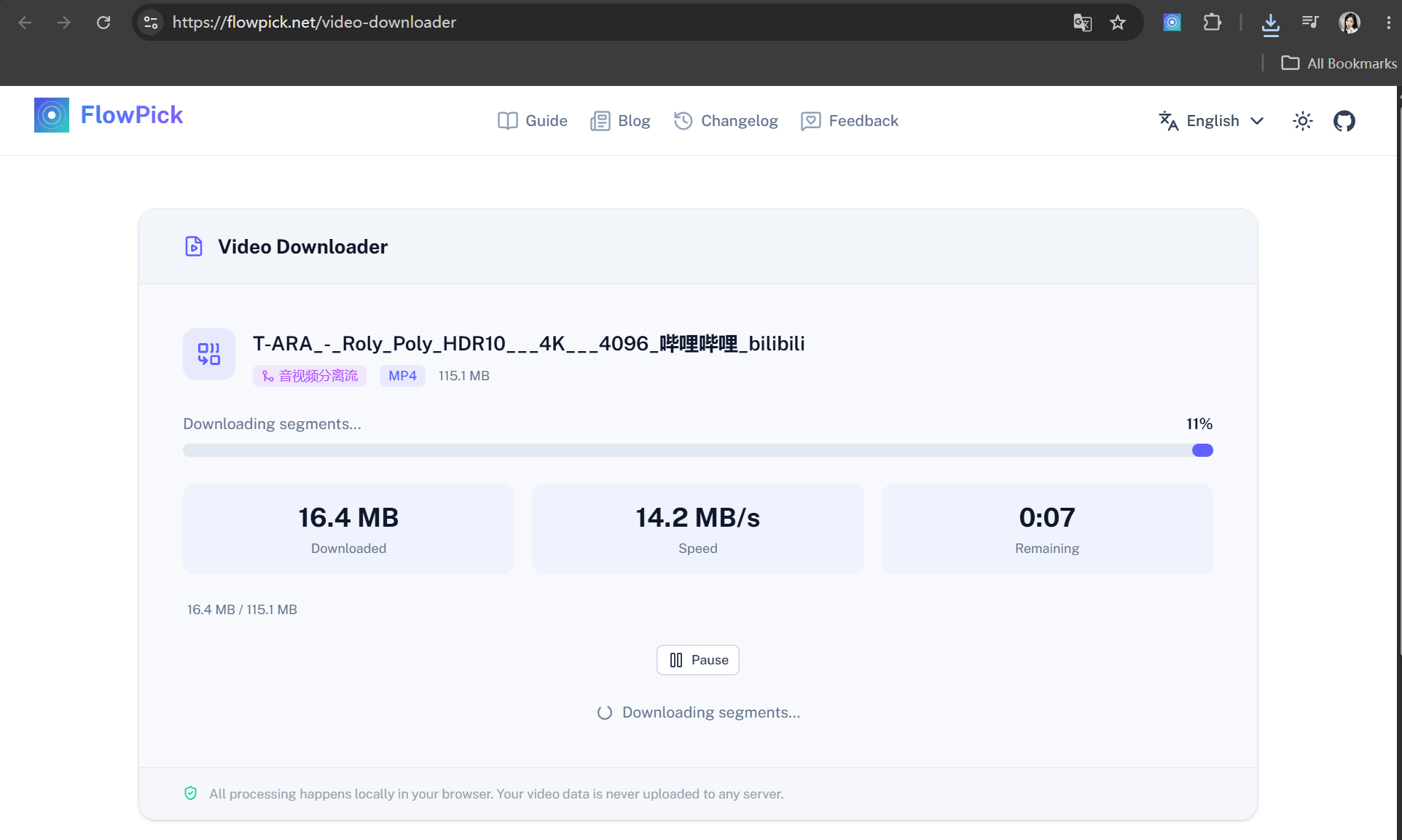
The extension runs inside the source page's context, so Referer and cookies travel along automatically and most hotlink checks just pass. That's where the extension beats the online tools — an online tool runs on its own domain and can't carry the target site's login state. The difference is covered in Online Tools — Differences from Extension.
If you only download occasionally and there's no hotlink check in the way, the Online Video Downloader works too — paste the direct URL and it downloads.
The Common Errors, One by One
403 Forbidden: The Request Headers Are Wrong
A 403 response means the server did not authorize that request. Common technical causes include:
- Referer check: the request must come from a specific page; an empty Referer gets rejected outright.
- Cookie / login state: the login cookie is missing, or expired.
- Temporary token: the
?token=in the URL has expired.
Reproduce it with curl to confirm whether Referer is the culprit:
# No headers at all — see what a bare request returns
curl -s -o /dev/null -w "%{http_code}\n" "https://cdn.example.com/course/lesson1.mp4"

# Try again with the page's Referer
curl -s -o /dev/null -w "%{http_code}\n" \
  -H "Referer: https://www.example.com/course/123" \
  "https://cdn.example.com/course/lesson1.mp4"
If adding the Referer changes the response, the source is checking page context. Use the extension only when you are authorized to save the media; a working Referer or login session does not itself grant copying rights. Proxy details are in FlowPick v1.1.1: Protected Resource Preview & Download.
404 Not Found: The URL Expired or You Grabbed the Wrong One
The most annoying part of direct links is "it worked yesterday, 404 today." Three common causes:
- Signed URL expired: cloud storage (OSS, COS, etc.) direct links carry a validity window that runs out anywhere from minutes to hours.
- The file was cleaned up: the uploader deleted it, or the CDN cache was purged.
- You copied the wrong URL: you grabbed the player page URL, not the file's direct link.
If the URL is genuinely dead, there's no saving it — go back to the original video page and re-detect, grab a fresh direct link, and download again.
CORS Errors: A Trap Specific to Online Tools
If you're using an online tool and hitting CORS errors, that's not your fault — it's the tool's limitation. The online tool runs on the flowpick.com domain, and the browser's same-origin policy blocks cross-origin reads. Switch to the extension. The extension has its own permissions and isn't subject to same-origin policy, so detection coverage and success rates are a notch higher. Details in Video Sniffing — Detection Differences: Extension vs Online Tool.
Incomplete Files: The Server Doesn't Support Resume
The download starts fine, but pausing starts it over from zero, or it fails halfway. This comes down to whether the server supports HTTP Range. Range lets the client request just part of a file — resume depends entirely on it.
Test whether the server supports it:
curl -s -o /dev/null -w "%{http_code}\n" \
  -H "Range: bytes=0-1023" \
  "https://cdn.example.com/course/lesson1.mp4"
# 206 = Range supported, resume works
# 200 = full file returned, not supported
206 is good. 200 (full file) means no Range support — so don't pause midway; download it in one go. This is a server capability, and switching tools won't change it.
What If the Downloaded File Won't Play
The file downloaded, the size looks right, but the player says "format not supported" or shows a black screen. Here you have to separate two concepts: container and codec. .mp4 is the container; inside it could be H.264, or it could be H.265/HEVC or AV1. Container support isn't codec support — the player has to be able to decode the codec layer inside before anything plays.
For codec issues, run it through Format Conversion and remux to a more compatible H.264 MP4. To see what formats your browser can actually play, check Browser Compatibility.
If a large file (hundreds of MB) stalls halfway, it's because the browser is buffering the file in memory. FlowPick prefers the File System Access API (choose a directory and it streams to disk, no memory blow-up), and falls back to Blob mode when unsupported — which is where big files get stuck. The fix is simple: prefer "Choose a save folder" instead of the default download; if that's not available, grab a lower-quality version. The hard limits of Blob mode are in Known Issues.
Can't Tell Direct Links, M3U8, and MPD Apart?
If the URL's extension carries .m3u8 or .mpd, it isn't a direct link at all — it's a streaming manifest. Don't force it:
.m3u8→ M3U8 Downloader.mpd→ DASH Downloader
The Takeaway
Direct-link downloads are four steps: find the page where the video actually plays → pull the video/* URL out of the Network panel or FlowPick → verify it with curl so you didn't grab the wrong one → test the file after downloading before moving on. Hit 403, switch to the extension; 404, re-detect; CORS, don't use an online tool; incomplete file, check Range first. Only download videos you have the right to save.
Related Articles
- Video Sniffing — Direct Video Files —— how direct-link detection works and what's covered
- How FlowPick Merges Hundreds of Video Segments into MP4 in the Browser —— what happens behind the scenes when merging segmented streams
Recommended Reading
- How to Download Bilibili Videos to Your Computer —— one site where direct links, DASH, and HLS all show up at once
- FlowPick vs. yt-dlp —— a few clicks in the browser vs. typing for an hour in the terminal